

Your clients are already using AI. Soon you'll see it, secure it and sell it.
ActiShield will show every AI tool your clients' staff use, keep sensitive data from reaching them, and turn the findings into reports and proposals, from one console built for MSPs. ActiShield is still in development; features and timing may change before launch.
Built for: MSPs that need to see and govern their clients' use of AI tools.
See the AI your clients already use
At launch, ActiShield will show which AI tools each client's staff use, from a catalog of 50, with users, devices and last use, plus the AI agents and MCP connections at work. It will tell company accounts from personal ones and mark every tool sanctioned, unsanctioned or blocked.
Keep company data out of AI tools
It will check prompts and pastes on ChatGPT, Claude, Gemini and Perplexity for 14 kinds of sensitive data, such as Social Security numbers, card numbers and API keys, and allow, warn, mask or block each one under the policy you set for that client.
A service you can sell
A free 14-day AI Risk Assessment will turn into a proposal with your logo that your client can approve from a link, with QBR-ready reports after that. Suggested retail is $10 per computer per month.
One console across every client
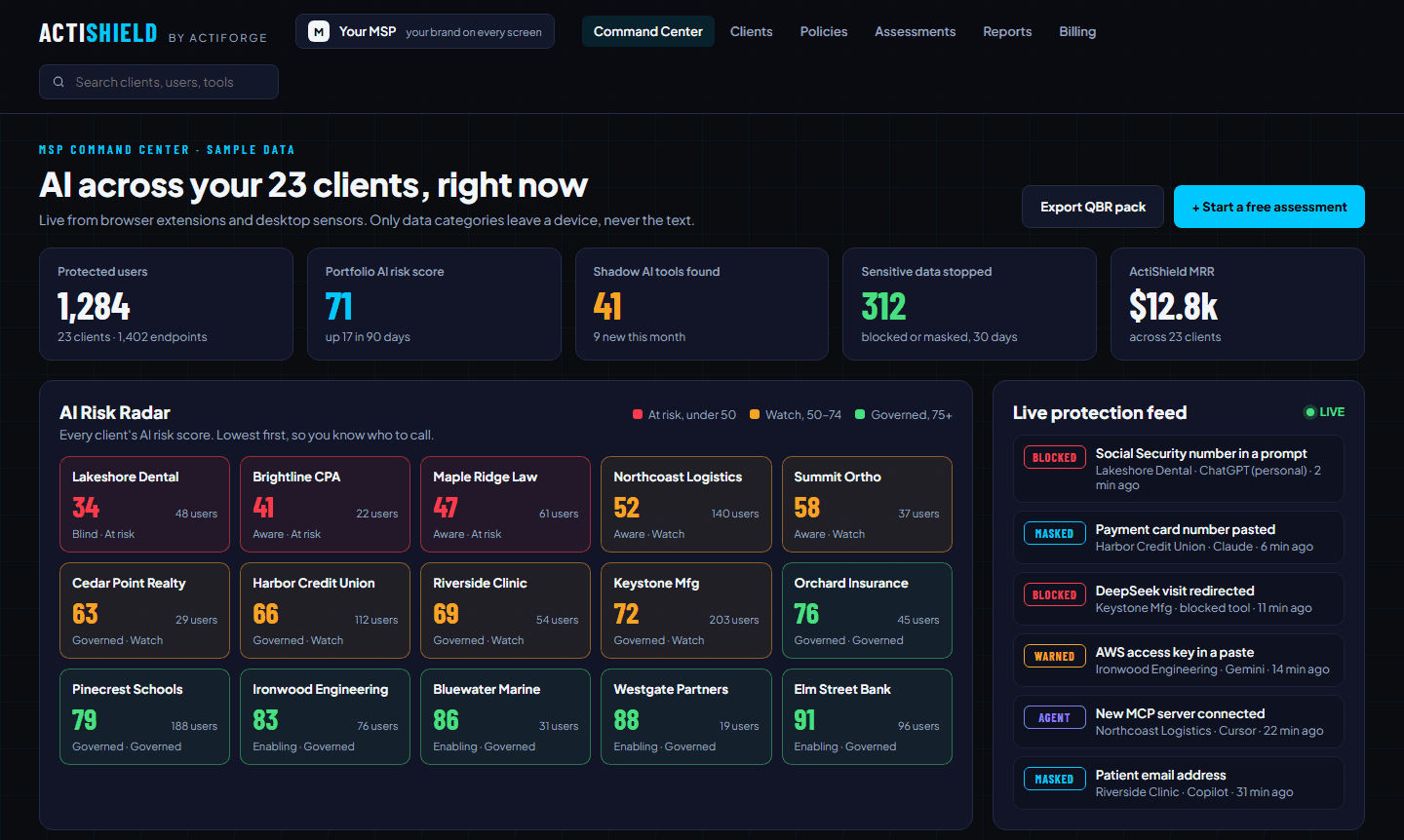
The Command Center will rank every client by AI risk, worst first, beside a live protection feed, your assessment pipeline, coverage, the maturity mix and a 90-day trend. Below it, each client company breaks down by department, user and device, with your logo and colors on the screens and reports your client sees. Client IT admins will see only their own company. Shown: a design mockup with sample data.
From assessment to signed proposal
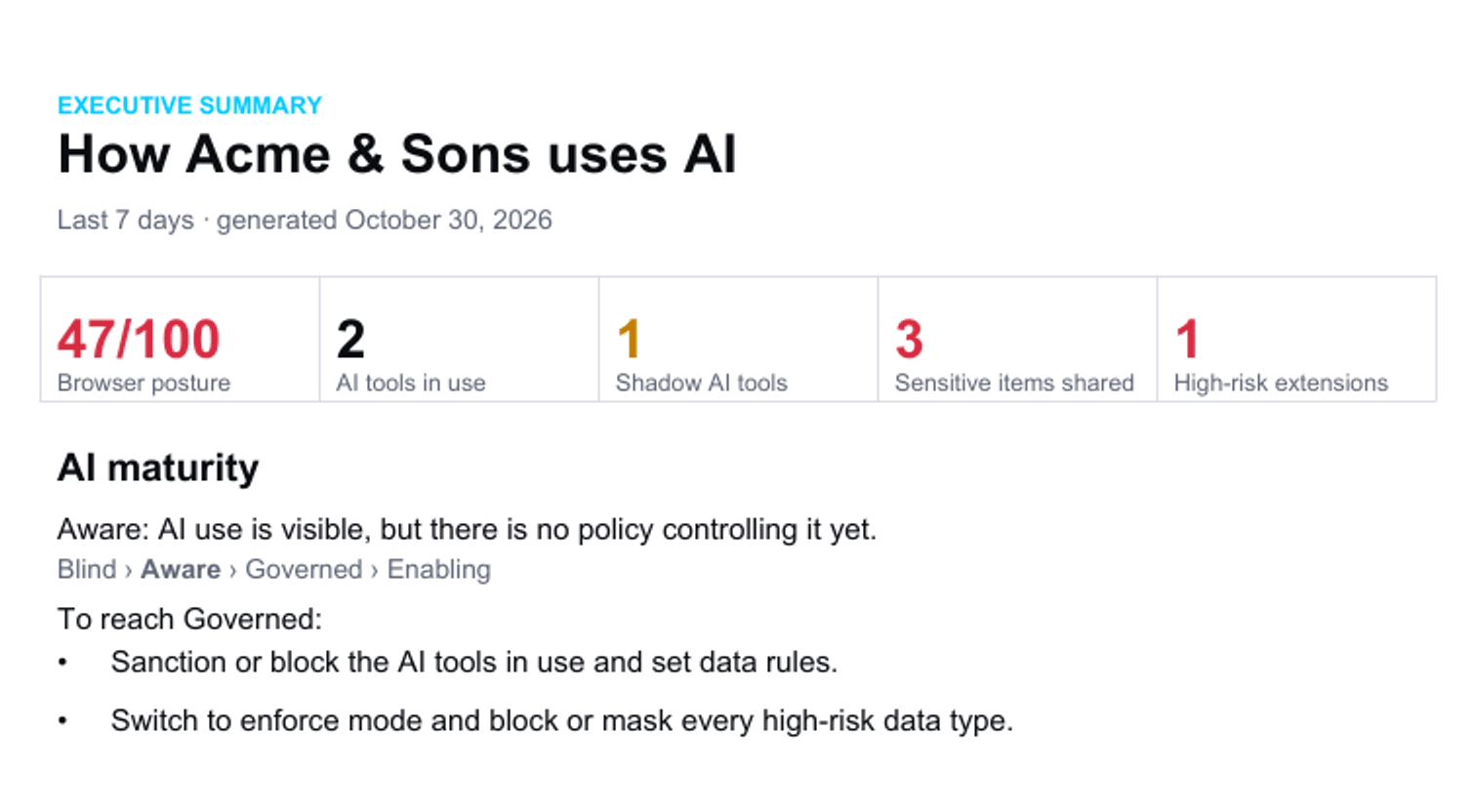
Run a free AI Risk Assessment for any client: it will never be billed, and you can download the report from day 7. Walk the client through it in presentation mode, then send a one-click proposal at your own price, as a live link and a PDF. A sales kit for each client will add a talk track, three emails, a one-page leave-behind and a draft AI acceptable-use policy built from the client's own findings. Shown: a sample assessment for a fictional client.
Policies that act before data leaves
For each type of sensitive data you'll choose allow, warn, mask or block, per client, department, role or user, with one-click templates and an observe-only mode to start. Employees will see a coaching notice in your name and colors that names the type of data, never the data itself. AI tools you mark as blocked are stopped, with a blocked page in your name and colors, risky AI browser extensions can be turned off, and you'll be able to block file uploads, downloads, the camera and the microphone on AI sites (camera and microphone in Chrome and Edge). Policy changes will reach every browser within a couple of minutes.
Browser and desktop, not just one browser
The extension will cover Chrome and Edge, plus Brave, Firefox and Safari. On every Windows PC, the ActiShield Sensor will run as a service, tie the computer's browsers into one endpoint, and can keep AI to the protected browsers, stopping AI sites in other browsers and desktop AI apps. The Sensor will also check each computer's security settings, including disk encryption, firewall, SmartScreen or Gatekeeper, Secure Boot, automatic updates and screen lock, and list the computers that fail. A Mac Sensor, deployed by Jamf, Intune or Kandji, will bring AI agent discovery and the same security checks to Macs; keeping AI to the protected browsers on Macs will be added after launch. A posture check will confirm company apps such as Microsoft 365 and Google open only in managed browsers.
The content stays on the device
Detection will run on the device. ActiShield will never send the content of prompts, files or pages. It will report the type of data found, such as "a Social Security number was detected", the AI site, the outcome and whether the account is a company or personal one, plus browser health details such as installed extensions. Personal accounts will never be named, every client's data will be isolated at the database level, and policies will be signed and checked on the device so they can't be altered in transit.
Reports that prove it
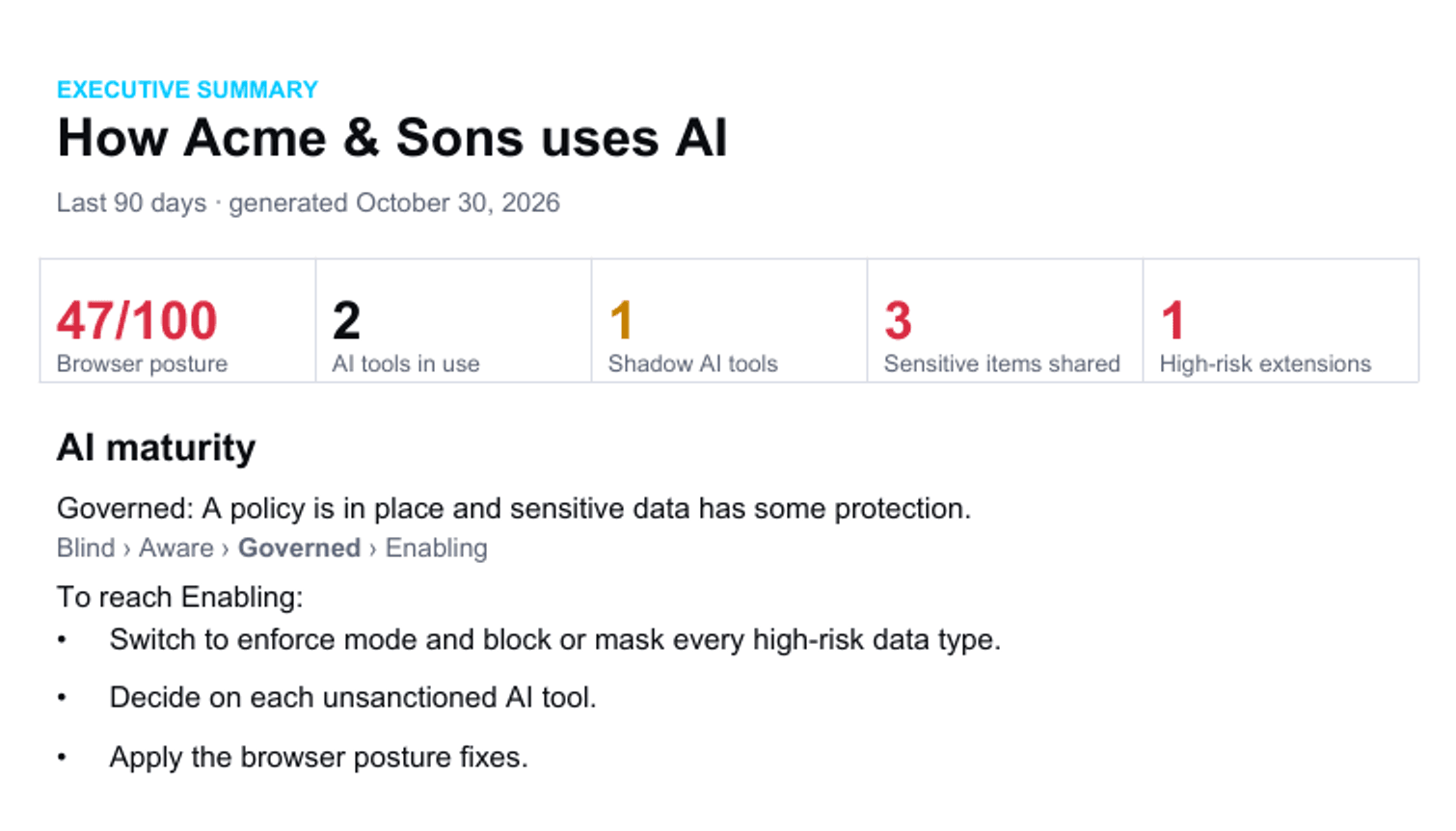
You can generate monthly and quarterly AI Governance Reports for each client's QBRs, with an AI maturity stage (Blind, Aware, Governed, Enabling), the steps to the next one, and an AI inventory page for cyber-insurance questions. Compliance evidence will map seven AI controls to HIPAA, SOC 2, the NIST AI RMF, ISO/IEC 42001 and the EU AI Act, rated met, partial or gap. It's evidence for your auditors, not a certification. Shown: a sample quarterly report for a fictional client.
Fits the tools you already run
You'll deploy ActiShield through NinjaOne, Datto, Intune or Group Policy. Violations will open tickets in Autotask, ConnectWise or HaloPSA, users will sync from Entra, Google or Okta, and alerts will go to your SIEM or PagerDuty. Billing will be one invoice a month for the computers active that month.
Questions
Before you start
What is ActiShield?
AI usage governance and data protection for MSPs, coming soon. It will show you every AI tool your clients' staff use, keep sensitive company data out of them, and give you the reports and proposals to sell it as a managed service.
Does it collect what employees type?
No. Detection will run on the device, and ActiShield will never send the content of prompts, files or pages. It will report the type of data found, the AI site, the outcome and whether the account is a company or personal one, plus browser health details such as installed extensions. Personal accounts will never be named.
What sensitive data will it detect?
It will detect fourteen types at launch, including Social Security numbers, payment card numbers, labelled bank routing numbers and IBANs, cloud and AI service keys, private keys, login tokens and email addresses, on ChatGPT, Claude, Gemini and Perplexity. You'll choose whether each one is allowed, warned about, masked or blocked.
Does it make my clients compliant?
It will give you evidence, not a certification. Its compliance view will map seven AI controls to HIPAA, SOC 2, the NIST AI RMF, ISO/IEC 42001 and the EU AI Act, showing what's met, what's partial, what's a gap and how to fix it.
Which browsers and devices will it cover?
At launch it will cover Chrome, Edge, Brave, Firefox and Safari. A Windows Sensor will also guard desktop AI apps and other browsers, and a Mac Sensor will bring AI agent discovery and computer security checks to Macs. Camera and microphone blocking will work in Chrome and Edge.
How will it be priced, and when can I get it?
Per computer per month, counted once however many browsers it runs, with a suggested retail price of $10 and partner pricing for MSPs. The AI Risk Assessment will be free for 14 days. ActiShield is still in development; features and timing may change before launch. Join the waitlist and we'll tell you the day it launches.
Request early access
Get early access to ActiShield.
Tell us who you are and we'll be in touch about early access before it launches.